

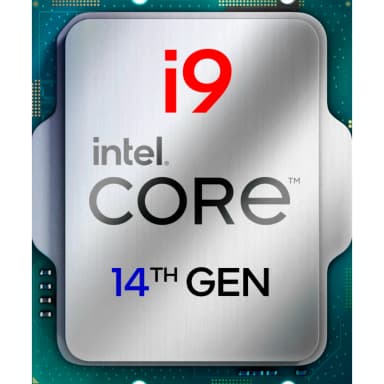
Intel Core i9-14900F 24‑Core LGA1700 Processor (65W, Locked, No Graphics)
Flagship 24‑core performance with 5.8 GHz turbo, 65W efficiency, and no integrated GPU – ideal for discrete graphics workstations and value‑focused power users.
Key Highlights
- 24 cores (8P+16E) / 32 threads – same as 14900K, with 65W base power
- 5.8 GHz max turbo – near‑flagship single‑thread performance
- No integrated graphics – perfect for discrete GPU owners, saves $15–20
- Supports DDR5 and DDR4 – flexible memory options
- 20 PCIe lanes (16x Gen5 + 4x Gen4) – ready for fast GPUs and SSDs
- Locked multiplier – stable, efficient, and great value
Overview
How It Works
The i9-14900F delivers 24‑core performance with 65W efficiency – perfect for gamers and professionals using a discrete GPU. Here’s how it works:
Hybrid Core Architecture
8 P‑cores (up to 5.8 GHz) handle single‑thread and latency‑sensitive tasks; 16 E‑cores (up to 4.3 GHz) manage background and parallel workloads.
Intel Thread Director
On‑chip hardware monitors thread types and guides the OS scheduler to place workloads on the optimal core – speed or efficiency.
Thermal Velocity Boost (TVB)
When temperatures are below 70°C, two preferred P‑cores automatically boost to 5.8 GHz for peak single‑thread performance.
Smart Cache & Memory
36 MB L3 cache + 32 MB L2. Supports both DDR5‑5600 and DDR4‑3200, giving builders flexible memory options.
No Integrated Graphics
The F‑suffix means the iGPU is disabled. A discrete graphics card is required for display output – perfect for users who already own a dedicated GPU.
Key Features
24 Cores / 32 Threads
8 P‑cores (up to 5.8 GHz) + 16 E‑cores (up to 4.3 GHz). Same core count as the 14900K for multi‑threaded productivity, but with lower power and price.
5.8 GHz Max Turbo
Thermal Velocity Boost pushes two preferred P‑cores to 5.8 GHz, offering near‑K‑series single‑thread performance for gaming and responsive apps.
65W Base Power (PL1)
Runs cool and quiet at stock settings – ideal for compact builds, office workstations, and silent media editing rigs.
DDR5 & DDR4 Support
Compatible with both memory types. Use high‑bandwidth DDR5 for creative workloads or cost‑effective DDR4 to save money.
PCIe 5.0 & 4.0
20 PCIe lanes (16x Gen5 + 4x Gen4) allow a next‑gen GPU and fast NVMe SSD without bandwidth bottlenecks.
Locked Multiplier (Non‑K, F)
No CPU overclocking – runs at factory turbo limits. Guarantees stability and lower power consumption for professional environments.
No Integrated GPU – Lower Price
The F‑suffix removes the iGPU, saving $15–20 compared to the standard i9-14900. Perfect for discrete GPU owners who don’t need Quick Sync or backup display.
i9-14900F vs i9-14900: What You Lose (and Gain) Without the iGPU
Is the F version worth the savings for your build?
Identical CPU Cores & Clocks
The 14900F has the exact same P‑core and E‑core counts, cache sizes, and boost frequencies as the standard 14900. Only the integrated graphics are disabled.
No Intel Quick Sync
Without UHD Graphics 770, you lose hardware‑accelerated video encoding/decoding. If you edit video in Premiere Pro or transcode with HandBrake, the iGPU can speed up exports significantly. The F version relies on your discrete GPU (NVIDIA NVENC or AMD VCE).
No Backup Display Output
If your discrete GPU fails, you cannot use the motherboard’s video ports for troubleshooting. You’ll need a spare GPU or rely on remote management.
Lower Price, Same Performance
For pure gaming or compute workloads that don’t use Quick Sync, the 14900F offers identical performance to the 14900 at a lower cost – typically a $15–20 saving.
✓ Pros
- ✓Flagship 24‑core performance with a 65W base power – runs cool and quiet
- ✓5.8 GHz max turbo delivers near‑K‑series single‑thread speed for gaming
- ✓Supports both DDR5 and DDR4, protecting your existing RAM investment
- ✓PCIe 5.0 ready for next‑gen GPUs and SSDs
- ✓Much lower cooling requirements than K‑series – works with affordable air coolers
- ✓Perfect for discrete GPU owners – no wasted die space or driver conflicts
- ✓Lower price than i9-14900 and i9-14900K – best value 24‑core Intel CPU
- ✓Drop‑in compatible with LGA1700 boards after BIOS update
✗ Cons
- ✗No integrated graphics – requires a discrete GPU for any display output
- ✗No Intel Quick Sync – hardware video encoding must be done on discrete GPU
- ✗Locked multiplier – no CPU overclocking for enthusiasts
- ✗Max turbo power still reaches 219W – requires decent cooling for sustained all‑core loads
- ✗LGA1700 platform is end‑of‑life; no upgrade path beyond 14th Gen
- ✗E‑core performance gains require Windows 11; Windows 10 does not fully utilize Thread Director
- ✗Slightly lower clocks (5.8 GHz vs 6.0 GHz) than the K‑series
- ✗Troubleshooting is harder without a backup GPU if your main graphics card fails
Use Cases
Technical Specifications
Core i9-14900F vs i9-14900 vs i9-14900KF
| Feature | i9‑14900F | i9‑14900 | i9‑14900KF | |
|---|---|---|---|---|
| Cores / Threads | 24 / 32 | 24 / 32 | 24 / 32 | |
| Max Boost | 5.8 GHz | 5.8 GHz | 6.0 GHz | |
| Base Power (PL1) | 65W | 65W | 125W | |
| Turbo Power (PL2) | 219W | 219W | 253W | |
| Integrated GPU | None | UHD 770 | None | |
| Unlocked Multiplier | No | No | Yes | |
| Memory Support | DDR5 / DDR4 | DDR5 / DDR4 | DDR5 / DDR4 | |
| PCIe | 5.0 + 4.0 | 5.0 + 4.0 | 5.0 + 4.0 |
Setup Tips
Update BIOS Before Installation
For 600‑series motherboards (Z690, B660, H610), you must update the BIOS to a version that supports 14th Gen Raptor Lake Refresh. 700‑series boards may need an update as well. Check your motherboard manufacturer’s support page.
Connect Display to Discrete GPU
Since the 14900F has no integrated graphics, ensure your monitor’s cable is plugged into your dedicated graphics card, not the motherboard’s video ports. Otherwise, you will get no signal.
Enable XMP for RAM
After booting, enter the BIOS and enable XMP (Intel) or DOCP (AMD) to run your memory at its rated speed. This provides a significant performance boost in gaming and productivity.
Use a Cost‑Effective Cooler
Because the 14900F has a 65W PL1, you can use affordable air coolers like the Thermalright Peerless Assassin 120 SE (~$35) or ID‑Cooling SE‑224‑XTS. For SFF builds, low‑profile coolers like the Noctua NH‑L9i may work but watch turbo power peaks.
Set Power Limits in BIOS (Optional)
Some motherboards remove power limits by default, causing the CPU to run at PL2=219W indefinitely. For lower temps, enforce Intel’s spec: PL1=65W, PL2=219W, Tau=28 seconds. This improves long‑term reliability in small cases.